[vc_row][vc_column][vc_column_text css=””]In today’s fast-paced world, productivity is key for real estate agents and entrepreneurs looking to stay ahead of the game. With so many tasks to juggle and deadlines to meet, it’s easy to feel overwhelmed. That’s where Chrome extensions come in handy. These handy tools can help streamline your workflow, improve organization, and boost efficiency. If you’re a real estate agent or entrepreneur looking to enhance your productivity, here are some must-have Chrome extensions to consider. Continue reading ““Enhance Your Productivity: Must-Have Chrome Extensions for Real Estate Agents and Entrepreneurs””
Category: Tech Tips
Automate Your Follow-Ups with These CRM Hacks
[vc_row][vc_column][vc_column_text css=””]
Let’s be honest — most sales are lost in the follow-up.
Not because you didn’t make the call. Not because the client wasn’t interested. But because you forgot… or just didn’t have time.
The good news? Your CRM (Customer Relationship Management system) can do a lot of the heavy lifting for you — automatically. With the right setup, you can nurture leads, book more appointments, and stay top of mind without constantly checking your calendar.
Here are simple CRM hacks that will help you automate your follow-ups and reclaim your time. Continue reading “Automate Your Follow-Ups with These CRM Hacks” →
Mastering Keyboard Shortcuts to Work Faster, Not Harder
[vc_row][vc_column][vc_column_text css=””]
You know that feeling when your computer-savvy coworker flies through tasks, barely touching the mouse? Chances are, they’re not moving faster — they’re just working smarter. The secret? Keyboard shortcuts.
These tiny time-savers may seem minor, but they add up to big gains in focus, efficiency, and speed. Whether you’re responding to emails, designing in Canva, or working in Google Docs, mastering a few key combinations can shave hours off your workweek.
Let’s dive into the shortcuts that will instantly boost your productivity — no tech degree required. Continue reading “Mastering Keyboard Shortcuts to Work Faster, Not Harder” →
How Text Blaze Transforms Our Day-to-Day Communication
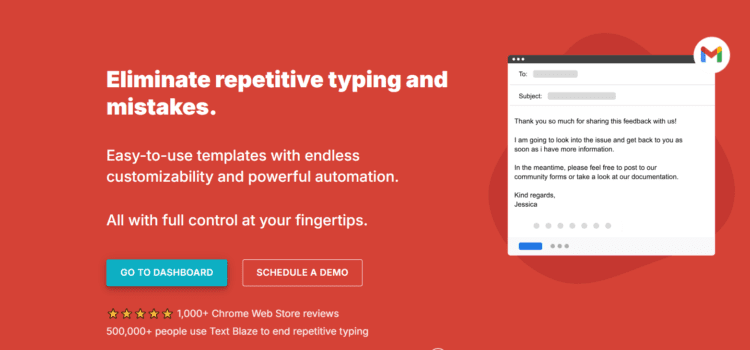
We handle a mix of client communications, detailed orders, and team collaboration every day, and Text Blaze has completely changed the game for us. Here’s how we’re using it: Continue reading “How Text Blaze Transforms Our Day-to-Day Communication” →
Streamlining Communications with Twilio, HubSpot, and the Auto Dialer
[vc_row][vc_column][vc_column_text css=””]
In today’s fast-paced real estate market, efficiency and streamlined communication can make or break a deal. That’s where powerful tools like Twilio, HubSpot, and the Auto Dialer for Twilio come into play. I’ve found this combination invaluable for managing client interactions, simplifying workflows, and saving costs. Continue reading “Streamlining Communications with Twilio, HubSpot, and the Auto Dialer” →How to Use Google Calendar and Receive Daily Event Reminders
Google Calendar is one of the most versatile scheduling tools available. Here’s a simple guide to setting it up and customizing it for your needs, along with instructions for enabling daily email reminders. Continue reading “How to Use Google Calendar and Receive Daily Event Reminders” →
Why Unified Email Software is Key to Making Work Easier
Managing email can feel like a full-time job on its own, especially if you’re juggling multiple accounts for work, side projects, and personal communication. Constantly switching between platforms and accounts can make it easy to miss important emails, lose track of follow-ups, and waste time. Unified email software can change all of that, simplifying your inbox and boosting productivity by bringing all your emails into one streamlined place. Continue reading “Why Unified Email Software is Key to Making Work Easier” →